Now Available on iOS

Turn Your Journey
Into a Film

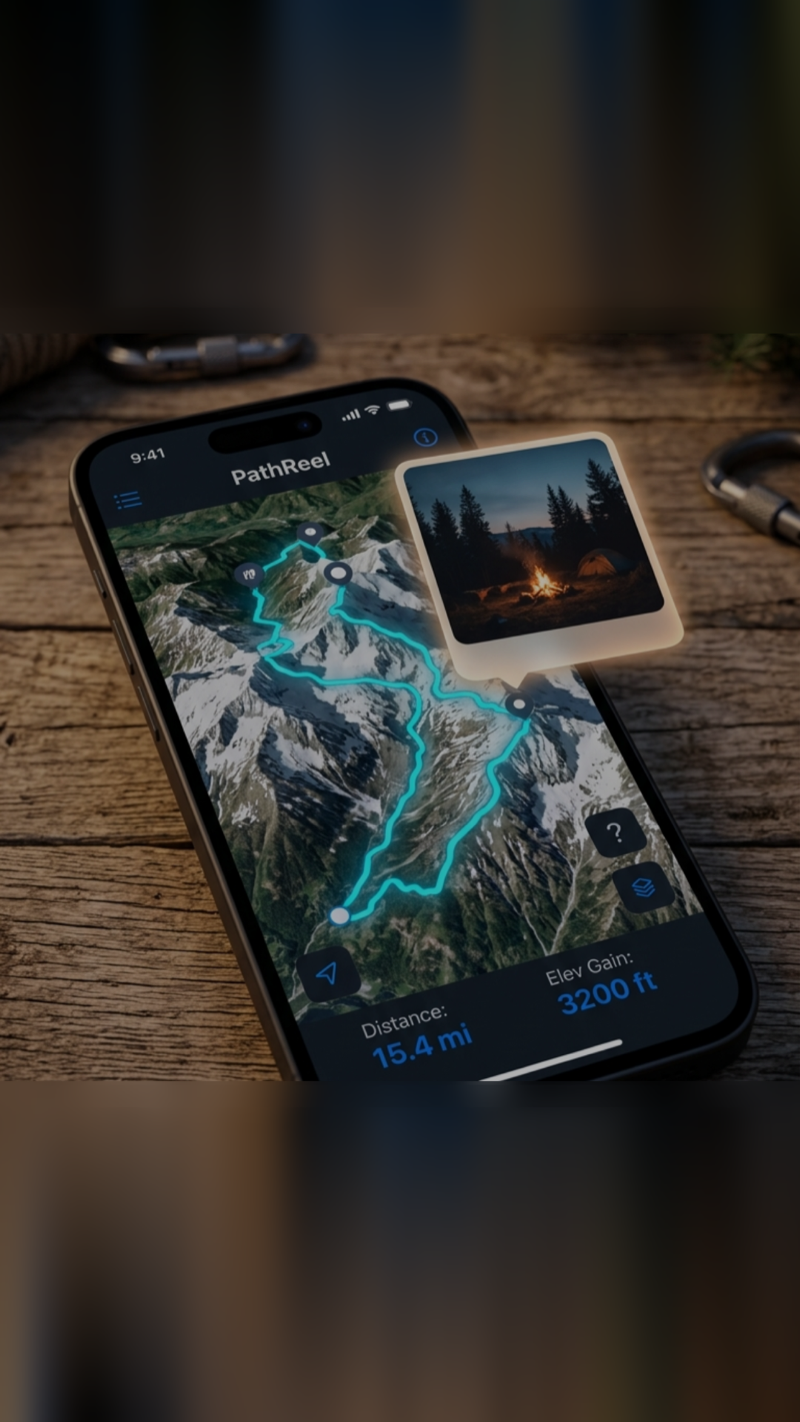
PathReel records your GPS routes and transforms them into cinematic replay videos — with photos, stops, and memories, all in one tap.

PathReel App
App Store Explore Features

Not Just Another GPS Tracker

Other apps record data. PathReel creates memories. Every route becomes a shareable cinematic experience.

Routes Become Films

Routes Become Films

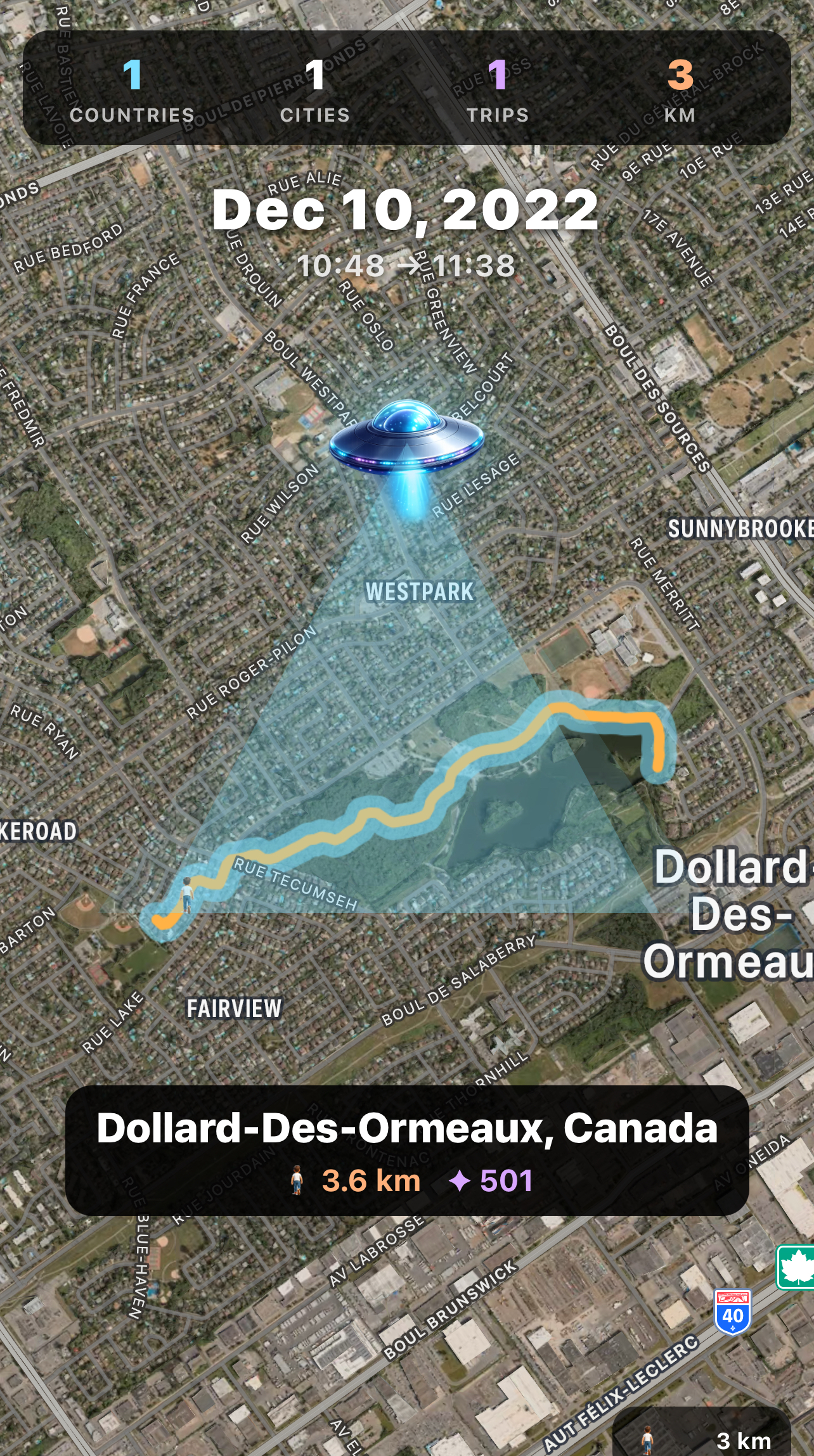
One tap turns any trip into a professional replay video with 3D map animation, smooth camera movements, and your photos woven in.

Every Stop Tells a Story

Every Stop Tells a Story

PathReel auto-detects where you stopped, finds the venue name, and lets you add notes — building a rich timeline of your journey.

Share Instantly

Share Instantly

Export to video and share directly to Instagram, TikTok, WeChat, or any platform. Your adventures deserve an audience.

Everything You Need

Powerful features wrapped in a beautiful, intuitive interface.

01

Cinematic Route Replay

3D satellite flyover with adaptive camera height, smooth transitions, and speed control (0.5x to 3x).

02

Auto Photo Matching

Photos taken during your trip appear on the map at their exact GPS location. Zoom in to relive the moment.

03

Smart Stop Detection

Automatically detects stops over 10 minutes, identifies venues via Apple Maps, and shows duration.

04

HEVC Video Export

Export your replay as a high-quality HEVC video. Photos, stops, and notes all included. Share anywhere.

05

Trip Timeline & Notes

Every trip has a chronological timeline: start, photos, stops, end. Long-press any event to add personal notes.

06

Insights & Heatmap

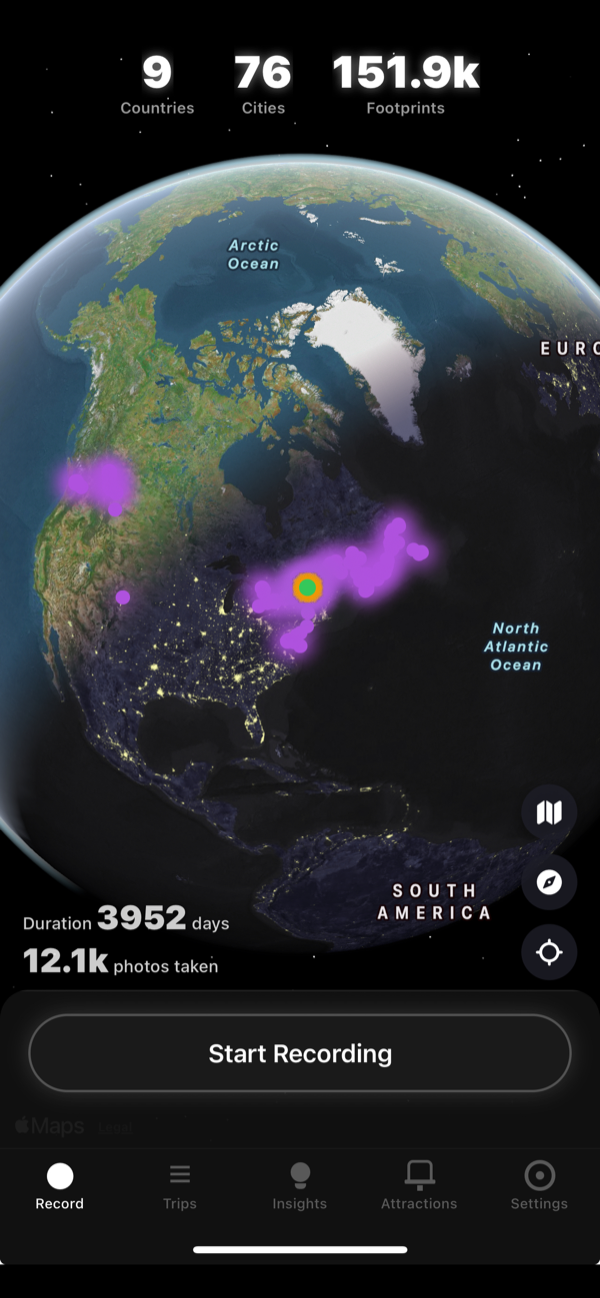
Track your stats over time. See where you've been on a heatmap. Weekly and monthly distance reports.

Built for Everyone Who Moves

🚗

Road Trippers

Record epic cross-country drives. Generate a highlight reel with scenic stops and roadside photos.

🏃

Athletes & Runners

Replay your runs, hikes, and bike rides with speed data and route animation. Track your progress.

📸

Travel Creators

Auto-generate route videos with geotagged photos. One-tap export to TikTok, Reels, or YouTube Shorts.

🏢

Business Travelers

Keep a record of every trip with timestamps, distances, and stops. Perfect for expense reports.

Three Simple Steps

1

Record

Tap start and go. PathReel tracks your route in the background with GPS precision — even when your phone is locked.

2

Replay

Watch your journey come alive on a 3D map with cinematic camera movements, your photos, and stop annotations.

3

Share

Export as a video and share to any social platform — or keep it as your personal travel diary.

Start Recording Your Story

Available on iOS. Android coming soon.

Download on the App Store

Getting Started

Permissions

PathReel requires two permissions to work properly:

  • Location (Always Allow) — Required for background GPS recording.
  • Photo Library (Full Access) — Required to match your photos to routes and save exported videos.

Recording a Trip

Select your activity type and tap "Start Recording". PathReel tracks your route in the background. Lock your phone and use other apps normally.

Replaying a Route

Go to Trips > select a trip > tap "Replay Route". Control playback speed, camera height, and map style.

Adding Notes

Long-press any item in the timeline to add a personal note. Notes appear during replay and in exported videos.

Exporting Video

Tap the export button during replay. PathReel captures every frame and encodes it as HEVC video.

Insights

View driving statistics, records, and a heatmap. Filter by 7 days, 30 days, or all time.

Settings

Customize your PathReel experience:

  • Appearance — Switch between Day (light) and Night (dark) mode. Affects all screens.
  • Language — Choose from 16 languages. Automatically detects your device language on first launch.
  • Photo Display — How long (in seconds) a photo stays on screen during replay and video export. Default: 1.5s.
  • Stop Display — How long (in seconds) a stop location stays on screen during replay and video export. Default: 2s.
  • Stop Min Time — Minimum duration (in minutes) for a stop to be detected. Shorter stays are filtered out. Default: 10 min.

Supported Languages

English, 简体中文, 繁體中文, Español, Français, العربية, Português, Русский, 日本語, 한국어, Deutsch, हिन्दी, Italiano, Türkçe, ไทย, Tiếng Việt

Privacy Policy

Last updated: April 6, 2026

Overview

PathReel is designed with privacy at its core. All your data stays on your device. We do not collect, store, or transmit any personal data to external servers.

Data Collection

PathReel does not collect: personal information, location data to any server, photos, or usage analytics.

On-Device Storage

All data is stored locally on your device: GPS track points, trip metadata, notes, and app settings.

Permissions

Location (Always) — Used solely to record GPS routes. Never leaves your device.
Photo Library — Used to display trip photos and save exported videos.

Third-Party Services

Apple Maps/MapKit — Map display and POI lookup via Apple's servers.
App Store — Update check via iTunes API. No personal data sent.

Data Sharing

When you share via the iOS share sheet, PathReel provides the file to your chosen platform. PathReel itself does not upload anything.

Children's Privacy

PathReel does not knowingly collect information from children under 13.

Contact

Questions? Contact [email protected]

Get in Touch

Questions, feedback, or partnerships — we'd love to hear from you.

[email protected]